Design a cake in 3D
Stack tiers, pick finishes, add drips, florals and a topper, then export a photo-ready image to send your customer before you bake.
Free. No signup needed.The short answer
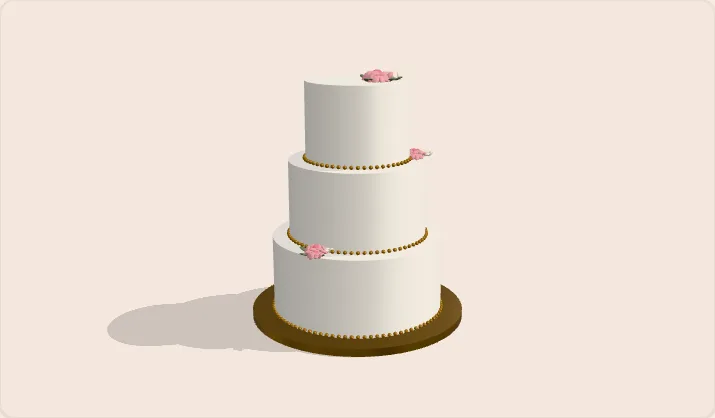
Stack the tiers, pick the finish, colour, drip and topper, and the serving count updates as you go. Export a PNG with no background for Canva, or send it straight to the customer.
Design a cake in 3D
BakerInbox
Start from a style
Every style is a starting point. Change anything below.
Colour palette
This cake serves about
60 party/74 wedding
Estimates from standard UK serving charts.
Pricing opens with these tiers and servings already filled in. Copy pastes the whole design, finishes included, straight into a message.
Check the portionsFinishing touches
The no-background PNG drops straight into Canva. Add your logo and price, then send it to the customer.
Popular tier stacks and their servings
| Tier stack | Party | Wedding | Suits |
|---|---|---|---|
| Single 6 in | 12 | 12 | Small birthday, intimate celebration |
| Single 8 in | 20 | 24 | The standard birthday cake |
| Two tier, 8 and 6 in | 32 | 36 | Big birthday, christening, baby shower |
| Two tier, 10 and 7 in | 43 | 54 | Large party, small wedding |
| Three tier, 10, 8 and 6 in | 60 | 74 | Wedding of about 70 |
| Three tier, 12, 10 and 8 in | 88 | 118 | Wedding of about 100 |
| Four tier, 12, 10, 8 and 6 in | 100 | 130 | Large wedding, dessert table centrepiece |
Counts are combined party and wedding portions for round tiers, from the same chart as the portion calculator. Planning a wedding? The wedding cake calculator turns a guest count into a stack, and the pricing calculator turns the stack into a price.
Made with BakerInbox. Free cake tools at bakerinbox.com/tools
Designing a cake with a customer
A picture ends the back and forth. Sketch the cake, send it, and start baking against something you both agreed.
Why bother
Agree the design before you turn the oven on
Most remakes start as a misunderstanding. The customer pictured ivory, you made cream. They meant three small tiers, you quoted two big ones. Two minutes with a picture in front of both of you settles it, and a picture is far easier to say yes to than a paragraph. Start from a style, tap the colours theirs, and send it.
The details
Finishes and decorations, not just shapes
Pick smooth fondant, buttercream, or a rustic finish per tier, then add a drip, a ribbon, or a pearl border. Whole-cake touches cover the board, florals, a personalised topper, and sprinkles. The copy button turns all of it into a plain list you can paste into a quote or a DM, so the design and the words always match.
Canva ready
An image you can drop into Canva
Export a PNG with no background and it layers cleanly over anything in Canva: your logo, your price list, a mood board for the customer. There is also a square export sized for Instagram, a studio-cream PNG, and a plain white JPEG. Up to three times resolution, so nothing goes out looking like a screenshot.
Size and price
Servings first, then the price
The serving count updates as you stack, from the same published charts the portion calculator uses. When the look is agreed, Price this cake carries the tiers and servings into the pricing calculator so the quote starts from the design, not from memory. Design, servings, price, in that order.
FAQ
Common questions
Is the 3D cake designer really free?
Yes. No signup, no card, no watermark, no limit on how many cakes you sketch.
Can I edit the exported image in Canva?
Yes. Export the PNG with no background, then drag it into your own Canva design and layer your logo, prices, or text around it. It is a standard PNG, so it works in any editor, not just Canva.
Can I use the images with customers?
That is what it is for. Export the image and send it in a quote, a message, or a post. The square export is already sized for Instagram.
Does it work on a phone?
Yes. The cake stays on screen while you change colours and decorations below it. Drag to turn the cake, pinch to zoom.
How many tiers and shapes can I use?
Stack as many tiers as the cake needs. Each tier has six shapes including heart and petal, three finishes, any colour, and its own drip, ribbon, or pearls.
How accurate is the serving estimate?
It comes from the standard two-layer serving charts the trade quotes from, a party slice at roughly 1.5 by 2 inches and a wedding slice at 1 by 2 inches. Shaped tiers like hearts are estimated from the round chart, so treat the number as a guide.
Can I save my design?
Nothing is stored, which is why no signup is needed. Export the image to keep the design, or copy the details as text. Inside BakerInbox you can attach the image to the customer's order.
Put every enquiry in one place too
Track every enquiry, order, and quote. Free for 14 days, no card required.